PalPedia: Pals, maps and tools
- 4.8
- Rating
- 100.00K
- Installs
- Free
- Price

 Analysis by App-foxy
When I first opened PalPedia, I understood its appeal quickly: it is built around the idea of making a Pal adventure easier to plan instead of forcing me to rely on scattered notes, memory, or repeated searches. This free Books & Reference app from E Miquilena combines an interactive map with reference tools, giving the experience a more practical, at-a-glance feel than a traditional text guide. I found it most useful when I wanted to answer a quick question while playing and return to the game without breaking my rhythm.
The app has a clear audience. It is aimed at players who want a companion for their Pal-focused exploration, especially those who enjoy collecting information, checking locations, and organizing their next objective. It is not a replacement for the game itself, and it does not try to be a general gaming news reader. Its value comes from putting a navigable reference layer beside the adventure. The interactive map is the feature that gives PalPedia its identity, because it turns information from something I have to search through into something I can inspect spatially.
Why the interactive map matters more than a normal guide
A conventional guide usually makes me think in terms of pages, headings, and search phrases. That works when I already know exactly what I need, but it is less convenient when I am exploring and wondering what may be nearby. A map changes that relationship. Instead of asking only “Where is this?” I can approach the question from the area I am already considering and use the surrounding information to shape my next move.
You May Also Like

 Blood Strike: 2.5 Anniversary
Blood Strike’s Loadouts Turn Every Drop Into a Tactical Gamble
A close look at Blood Strike’s custom loadouts: how fast access to signature weapons reshapes its battle royale rhythm, rewards preparation, and narrows the gap between fights.

 Pandora - Music & Podcasts
Pandora’s Music Is Easy to Start, but Harder to Recover
Pandora’s strength is its low-effort path from a seed to a station. Its weak spot is how much confidence it asks you to place in connection, setup, and quiet recovery.

 8 Ball Pool
8 Ball Pool Is Built on Rivalries, Rematches, and Routine
A close look at the rivalries, rematches, shared routines, and unanswered safety questions that turn a quick pool match into a persistent mobile community.

 Samsung Music
Samsung Music’s Quiet Strength Is Playing What You Already Own
Its reach comes less from spectacle than from dependable access to a personal library. That simplicity is both the app’s strongest retention engine and its ceiling.

 AccuWeather: Weather Radar
AccuWeather Review: A Quick, Clear Forecast for Everyday Decisions
For everyday plans, the best forecast is the one you can understand quickly. AccuWeather makes rain timing, radar, and local conditions easy to act on, with a few trade-offs.

 Hill Climb Racing
Why Hill Climb Racing Still Turns Crashes Into One More Run
A tiny car, a bumpy hill and one more upgrade: Hill Climb Racing keeps resurfacing because its simple chaos makes every near-miss feel personal.
More From Our News Desk



That difference sounds small, but it affects how I play. A text-only reference encourages isolated lookups: find a name, read an entry, close the guide. A map encourages route planning and comparison. I can think about whether a detour is worthwhile, whether several goals can be handled in one outing, or whether I should postpone a destination until I am already operating in that region. This makes the tool feel less like an encyclopedia and more like a planning board.
I also appreciate that the map is paired with PalPedia’s reference purpose rather than presented as a standalone map utility. The combination matters because location alone is rarely enough. I want context around what I am looking at, and I want the reference side to help me interpret the map rather than make me switch between unrelated resources. That is the central capability I kept returning to during use: turning a broad adventure into a set of visible, manageable decisions.
The app’s store summary describes it as an interactive map and toolset for a Pal adventure, while the short description presents it as PalPedia. In practice, I read that as a focused companion rather than a complete strategy manual. The distinction is useful. If I need a deep explanation of every mechanic, a community discussion, or a long-form walkthrough, another resource may be stronger. If I need a visual reference that helps me decide where to go next, this is a more natural fit.
Using the map without interrupting the adventure
The most comfortable workflow is to open the app before setting out, identify the area or objective that matters, and use the map to form a simple plan. I do not need to treat every session like a research project. Even a quick glance can help me avoid wandering with no clear purpose. When I return to the app later, I can reassess the same plan instead of starting from a blank search screen.
That workflow is especially helpful for players who dislike keeping external notes. I have often found that handwritten lists become outdated, while several browser tabs become difficult to manage on a phone. A dedicated reference app gives the information a single home. The practical advantage is not just convenience; it reduces the mental effort of remembering where I saw something and which source was relevant.
One useful habit is to use the map before a play session, not only after getting stuck. Looking ahead helps me decide whether I am playing for exploration, collection, or a specific destination. That small change makes the app feel proactive. Instead of waiting for confusion, I use it to prevent aimless travel and unnecessary backtracking.
Another good habit is to treat the map as a decision aid rather than an absolute command. I still want to explore naturally, and I do not want every discovery removed from the experience. I can check the general area, close the app, and continue on my own terms. This balance is one reason I think the tool works better for players who want guidance without turning the adventure into a rigid checklist.
On the other hand, the visual approach may not suit everyone. If I already know the world extremely well, the map may add little to my routine. Likewise, a player who prefers blind exploration may feel that any external reference weakens the surprise. PalPedia is most effective when I want informed choices, not when I am deliberately avoiding outside help.
The everyday scenario where it earns its place
Imagine I have a short evening session and do not want to spend that time drifting from one area to another. I open PalPedia, look at the region connected to my current plans, and use the map to decide on a compact route. Rather than chasing the first interesting point I remember, I can consider nearby possibilities together. If the session ends early, I still feel that I made progress toward a coherent goal.
This is where the app feels more valuable than a basic search engine. A search result might answer a single question, but it does not necessarily help me compare several options in the same visual context. The map supports a broader decision: what should I do next, and what else can I reasonably combine with it? That is a modest feature in technical terms, but a meaningful improvement in everyday play.
It can also help when I return after a break. I may remember the general objective but forget the route or the surrounding points of interest. Instead of reconstructing everything from memory, I can use the map to rebuild my mental picture. For players who move between different activities and do not play every day, this reorientation is one of the strongest practical benefits.
Collectors may gain even more from this approach. A collection-focused session often involves several small decisions rather than one dramatic objective. The map gives those decisions a shared frame. I can think in terms of areas and proximity instead of maintaining a separate list of disconnected names. That does not remove the work, but it makes the work easier to organize.
There is also a useful middle ground for newer players. I would not recommend opening the app for every minor uncertainty, because that can make the game feel like an instruction manual. Instead, I would use it when confusion begins to slow the session down. A quick visual check can restore direction while leaving the actual movement and discovery to the player.
Where it stands beside ordinary alternatives
The usual alternatives fall into a few groups: browser searches, long written guides, community posts, and personal notes. Each has a place, but each creates friction that the interactive map handles differently. Browser searches are fast for a precise term, yet they often require several queries when I am still deciding what I want to do. Written guides can provide more explanation, but they are slower to scan when my immediate need is location-based.
Community posts are useful when I want discussion, recent experiences, or unusual advice. They can also be inconsistent in presentation, and the information I need may be buried inside a conversation. Personal notes are private and flexible, but they depend on me maintaining them. PalPedia sits between these options: more structured than a casual note, more visual than a standard article, and more focused than a broad community feed.
That does not make it universally better. A browser is preferable when I need a wide range of sources or a detailed explanation that goes beyond map-based reference. A community space is preferable when I want to ask a question and compare other players’ approaches. A written guide may be better for a complete start-to-finish route. I see PalPedia as the better choice when the question is fundamentally spatial and I want a quick, repeatable way to orient myself.
The app’s Books & Reference classification is appropriate because its main role is consultation. I would not open it expecting the entertainment or social features of a game platform. Its success depends on how quickly it helps me understand the adventure around me. That narrow purpose is a strength, provided I approach it with the right expectations.
Small workflows that make the tool more useful
My first recommendation is to separate planning from checking. Before playing, use the map to establish one broad intention. During play, return only when you need to resolve a specific uncertainty. This prevents the companion from taking over the session and keeps the reference function focused.
My second recommendation is to use visual proximity to reduce unnecessary travel. When several possible objectives appear relevant, I would first consider whether they can fit into the same outing. This is more efficient than selecting tasks one at a time from unrelated searches. The trade-off is that planning can make the adventure feel more deliberate, so I would leave room for spontaneous detours.
A third useful approach is to use the app as a recovery tool after a failed or interrupted session. If I lose track of what I was doing, I can return to the map and rebuild the context instead of abandoning the plan. This is particularly helpful on mobile, where switching between notes, browser pages, and the game can quickly become messy.
Finally, I would avoid assuming that the presence of a point on a map automatically tells me everything I need to know. The map is excellent for orientation, but I still need to apply judgment about timing, readiness, and whether the destination fits my current objective. Used this way, it supports decisions rather than pretending to make them for me.
What may frustrate some players
The focused design also creates limitations. A map-centered companion is only as useful as the clarity of its organization and the relevance of the information I am seeking at that moment. If I want a long explanation, a build discussion, or a conversation with other players, I may still need another source. PalPedia does not replace every kind of reference simply because it includes several tools.
There is also a possible tension between convenience and discovery. The more precisely I use an external map, the less room I leave for accidental finds. I see that as a personal choice rather than a flaw, but it is worth considering before installing it. Players who enjoy solving every location question independently may prefer to keep the app for occasional checks instead of constant use.
The app is free to download, though it includes optional in-app purchases ranging from $4.99 to $8.99 per item. That makes it easy to try without an initial payment, but I would still look carefully at what any optional purchase adds before deciding whether it improves my particular routine. The free entry point is helpful for testing the map’s usefulness first rather than committing immediately.
Compatibility is also straightforward for many Android users: the app requires Android 7.0 or later. It is suitable for an Everyone audience, which matches its reference-oriented nature. The current version is 1.2.9, and the app was released on January 27, 2024. Those details matter most when I am checking whether an older device can run it or deciding whether the installed version is current enough for my needs.
Who gets the most from PalPedia
I would recommend it first to players who regularly pause their adventure to look up locations, players who enjoy collecting, and anyone who wants to make short play sessions more purposeful. It is also a good fit for people who dislike juggling several browser tabs. The combination of a visual map and reference tools gives these users a practical way to organize exploration without maintaining a separate system.
Returning players may find it especially useful because it lowers the cost of getting back into the world. I do not have to remember every detail before making progress again. A quick look at the map can restore orientation and help me choose a realistic next step. That makes the app valuable even when I am not playing constantly.
I would be more cautious about recommending it to someone who wants a complete tutorial, extensive social discussion, or a fully guided route from beginning to end. Those needs are better served by a detailed guide or an active community. I would also suggest skipping it if the main pleasure of the adventure comes from never consulting outside information. The app is designed to reduce uncertainty, and that is exactly what some players may want to preserve.
Its reception suggests that the concept connects with a substantial group of users: PalPedia holds a 4.8 average from around 3.3 thousand ratings, with over 100 thousand installs and 172 written reviews. I do not treat those figures as a substitute for personal fit, but they do support the impression that the map-and-reference format is useful to many players.
My overall view is positive because the app concentrates on a real problem: knowing where to look and how to plan the next part of a Pal adventure. It does not need to become a giant all-purpose database to be worthwhile. When I use it as a visual planning companion, it saves time, reduces aimless wandering, and makes returning to the game less confusing. If your main need is a clear map-based way to organize exploration, PalPedia is worth trying before reaching for a pile of browser tabs.
FAQs for PalPedia: Pals, maps and tools
01What is PalPedia: Pals, Maps and Tools?
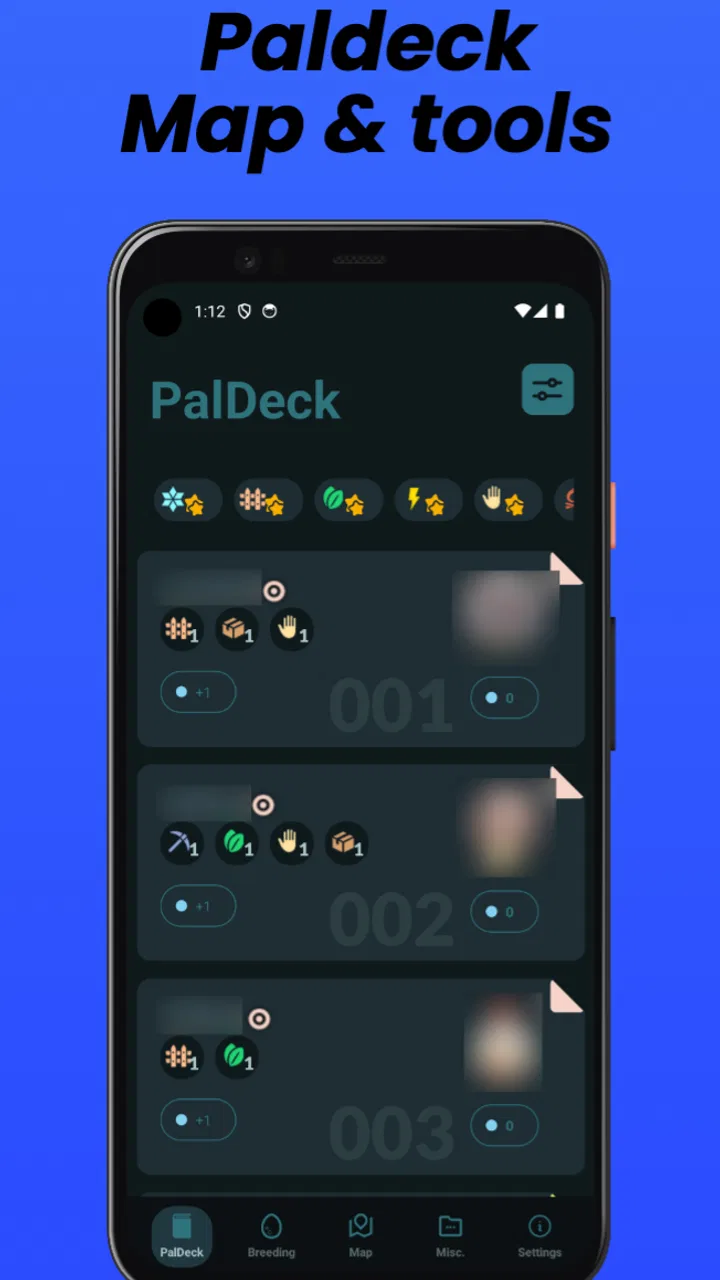
PalPedia: Pals, Maps and Tools is a companion app designed to help players explore and manage information about the Palworld universe. It brings together Pal databases, locations, maps, resources, breeding references, and other practical tools in one place. Instead of searching through scattered guides, users can browse organized information while planning exploration, collecting Pals, and improving their in-game progress.
02What features does PalPedia offer?
The app typically focuses on searchable Pal information, interactive maps, resource and item locations, breeding or compatibility references, and useful gameplay tools. Depending on the version installed, you may also find filters, favorites, location markers, and detailed pages containing statistics or abilities. These features make it easier to compare Pals, plan routes, locate materials, and keep track of objectives without constantly switching between websites.
03Does PalPedia work offline?
Offline availability may be limited, especially for interactive maps, updated databases, advertisements, or content loaded from online services. Some information may remain accessible after it has been viewed, but users should not assume that every feature will work without an internet connection. For the smoothest experience, open the app while connected to Wi-Fi or mobile data and allow content to finish loading before heading into areas with poor coverage.
04Is PalPedia an official Palworld app?
PalPedia should be treated as an independent fan-made companion rather than an official Palworld product unless the store listing clearly states otherwise. It is intended to support gameplay with reference material and planning tools, but it does not replace the game itself. Users should also remember that databases, maps, names, and gameplay details can change when the original game receives updates.
05Is PalPedia free to download and safe to use?
The app may be available as a free download, although certain versions can include advertising, optional purchases, or limitations on specific tools. Before installing, check the official Google Play or App Store listing for the developer name, permissions, privacy information, ratings, and recent update history. Avoid downloading modified APK files from unofficial websites, and keep the app updated to receive fixes and current game information.
Pros
- Detailed Pal information helps with planning captures and team setups.
- Interactive maps make it easier to locate resources
- bosses
- and important areas.
- Useful breeding and crafting tools save time when preparing for progression.
- Clean interface lets you find game data quickly without unnecessary distractions.
- Helpful for both new players and experienced Palworld fans.
Cons
- Some information may become outdated after game updates or balance changes.
- The large amount of data can feel overwhelming for first-time players.
- Map features may require precise location data to be fully useful.
- Certain tools are more valuable only after reaching mid- or late-game content.
- May encourage frequent checking instead of discovering some content naturally.

PalPedia: Pals, maps and tools
Gallery